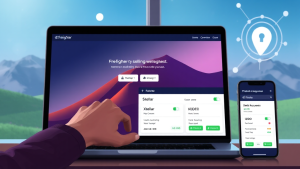
The Freighter Wallet Guide: Managing Stellar Assets with Confidence
In the rapidly expanding universe of blockchain technology, the way we interact with digital assets is constantly evolving. For users of the Stellar network, one name has risen to prominence as a secure and user-friendly gateway: the freighter wallet. This non-custodial browser extension and mobile application has become an essential tool for anyone looking to manage Lumens (XLM), USDC, and other Stellar-based tokens. But what exactly makes this wallet stand out in a crowded field of crypto solutions? This article explores the features, security, and practical uses of this essential piece of software for the Stellar ecosystem.
Understanding the Core of Stellar and Why a Dedicated Wallet Matters
The Stellar network is designed for fast, low-cost cross-border transactions and asset issuance. Unlike general-purpose blockchains, Stellar has a unique architecture that supports built-in compliance, multi-asset operations, and a decentralized exchange. To fully harness these capabilities, users need a tool that is deeply integrated with the network’s specific features. A generic Ethereum or Bitcoin wallet simply won’t suffice. This is where the freighter wallet app enters the picture, offering a purpose-built solution that understands the nuances of Stellar, from managing trustlines to interacting with Stellar-based decentralized applications (dApps).
What is Freighter? A Non-Custodial Powerhouse
Freighter is a non-custodial wallet, meaning you, and only you, hold the private keys to your funds. This is a critical security feature, as it eliminates the risk of a central exchange or service holding your assets and being vulnerable to hacks or mismanagement. When you install the freighter wallet, your keys are encrypted and stored locally on your device. This gives you complete control over your digital wealth. The wallet is available as a browser extension for Chrome, Firefox, and Brave, as well as a mobile app for iOS and Android, ensuring that your Stellar assets are always within reach.
Key Features That Streamline Your Stellar Experience
Seamless Asset Management
At its core, Freighter simplifies the process of sending and receiving assets. Whether you’re transacting in XLM, USDC, or custom tokens, the interface is clean and intuitive. You can view your balances, track transaction history, and manage your assets with just a few clicks. The wallet automatically handles the complexities of Stellar’s memo fields and transaction fees, making it accessible even for newcomers to the crypto space.
Direct Integration with Stellar Apps
One of the most powerful features of the freighter wallet app is its ability to act as a bridge to the wider Stellar ecosystem. Many Stellar-based applications, such as decentralized exchanges (DEXs), lending platforms, and NFT marketplaces, require a wallet connection to function. Freighter serves as your login and transaction authorization tool, allowing you to securely interact with these apps without ever exposing your private keys. This seamless integration has made Freighter the de facto standard for Stellar dApp users.
Built-in Support for Stellar’s Unique Features
Stellar has several unique features that are not present in other blockchains, and Freighter is built to handle them all. For instance, it supports the creation of trustlines, which are required to hold non-native assets. It also allows you to use Stellar’s built-in decentralized exchange to swap assets directly within the wallet interface. Furthermore, Freighter supports the use of hardware wallets like Ledger, providing an additional layer of security for those who want to store their keys offline.
Security First: How Freighter Protects Your Digital Assets
Security is the cornerstone of any reputable crypto wallet, and Freighter takes this responsibility seriously. The wallet uses advanced encryption to protect your private keys, which are stored locally on your device. When you make a transaction, you must authorize it through the wallet’s interface, which requires your password or biometric authentication. Freighter also includes a robust backup and recovery system, allowing you to restore your wallet from a seed phrase if you ever lose access to your device. This emphasis on user control and security is what makes Freighter a trusted choice for managing Stellar assets.
Getting Started with Freighter: A Step-by-Step Overview
Getting started with Freighter is a straightforward process. First, you need to download the wallet from the official website or your browser’s extension store. After installation, you will be prompted to create a new wallet, which involves generating a seed phrase. This phrase is the master key to your wallet; it is crucial to write it down and store it in a safe place. Never share it with anyone. Once your wallet is created, you can fund it with XLM or other assets by sending them to your public address. From there, you can begin exploring the world of Stellar apps and decentralized finance.
Frequently Asked Questions about Freighter Wallet
Is Freighter a custodial wallet?
No, Freighter is a non-custodial wallet. This means that you have full control over your private keys. Freighter does not have access to your funds, and you are solely responsible for the security of your seed phrase.
Can I use Freighter to store any cryptocurrency?
Freighter is specifically designed for the Stellar network. It supports Stellar Lumens (XLM), USDC, and any other token that is issued on the Stellar blockchain. It does not support Bitcoin, Ethereum, or other non-Stellar assets.
How do I connect Freighter to a Stellar app?
When you visit a Stellar-based app that supports Freighter, you will typically see a “Connect Wallet” button. Clicking this button will prompt you to select Freighter and then authorize the connection. Your wallet will then be linked to the app, allowing you to interact with its features.
What happens if I lose my phone or computer with Freighter installed?
As long as you have your seed phrase, you can recover your wallet on a new device. Simply install Freighter, choose the “Import existing wallet” option, and enter your seed phrase. This will restore access to all your assets.
Is Freighter free to use?
Yes, Freighter is completely free to download and use. The only fees you will incur are the standard Stellar network transaction fees, which are extremely low (fractions of a cent).
Conclusion: The Future of Stellar Asset Management
As the Stellar network continues to grow and attract new users and developers, the importance of a reliable, secure, and feature-rich wallet cannot be overstated. The freighter wallet has established itself as a leader in this space, offering a seamless user experience without compromising on security. Whether you are a seasoned crypto enthusiast or just starting your journey with digital assets, Freighter provides the tools you need to manage your Stellar holdings with confidence. Its deep integration with the Stellar ecosystem, combined with its non-custodial nature, makes it an indispensable tool for anyone looking to participate in the future of finance. By embracing this wallet, you are not just storing assets; you are unlocking the full potential of the Stellar network, one transaction at a time.
Readers who are interested in this topic will benefit from exploring multiple perspectives and understanding the nuanced approaches that industry leaders recommend. Taking time to research thoroughly ensures better outcomes and more informed decision-making.
Those looking to gain deeper knowledge in this area should consider following expert analysis, staying updated with the latest developments, and engaging with professional communities where these topics are discussed in detail.
A comprehensive understanding of this subject requires looking at both theoretical foundations and practical applications. By combining study with hands-on experience, learners can develop a well-rounded perspective that serves them well in real-world scenarios.
As the landscape continues to shift and evolve, staying informed about emerging trends and best practices becomes increasingly valuable. This ensures you remain competitive and capable of adapting to new challenges as they arise.